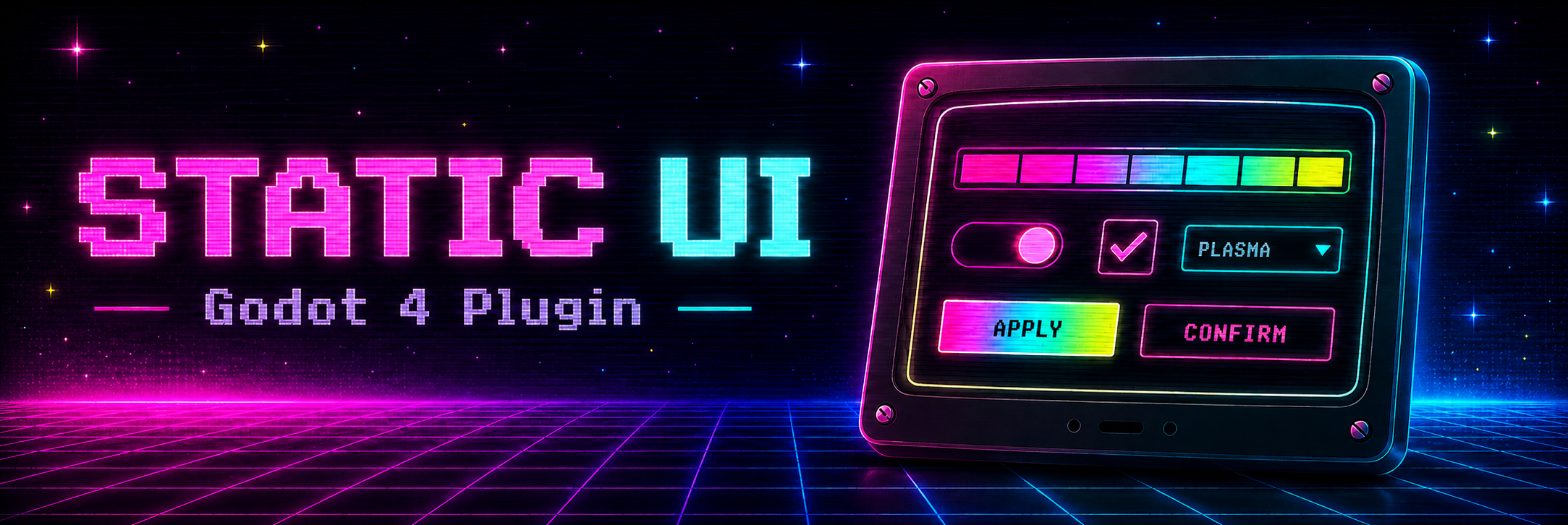
Static UI Kit — Pre-Built Components for Godot 4
StaticUI Kit
Version 1.0.0 for Godot 4.x desktop games.
StaticUI is a component-based CRT/arcade UI kit built around seven interchangeable skins. It gives you hard-edged pixel surfaces, animated screen backdrops, a three-stop accent gradient, shader-driven glow, and a growing set of pre-built interface components.
Everything is designed to be customized from the Inspector, with no GDScript required for normal setup.
StaticUI is meant to be used as a set of building blocks for your interface. It is not a one-click skin that completely transforms an already-finished UI made from standard Godot controls.
The included theme can style compatible native controls, but the full StaticUI look, including its animated backgrounds, shaders, custom layouts, and component-specific behavior, comes from using the StaticUI components themselves.
Not just a theme. Real components.
Most UI packs give you a .theme file and a folder of PNGs. StaticUI includes actual pre-built, interactive components.
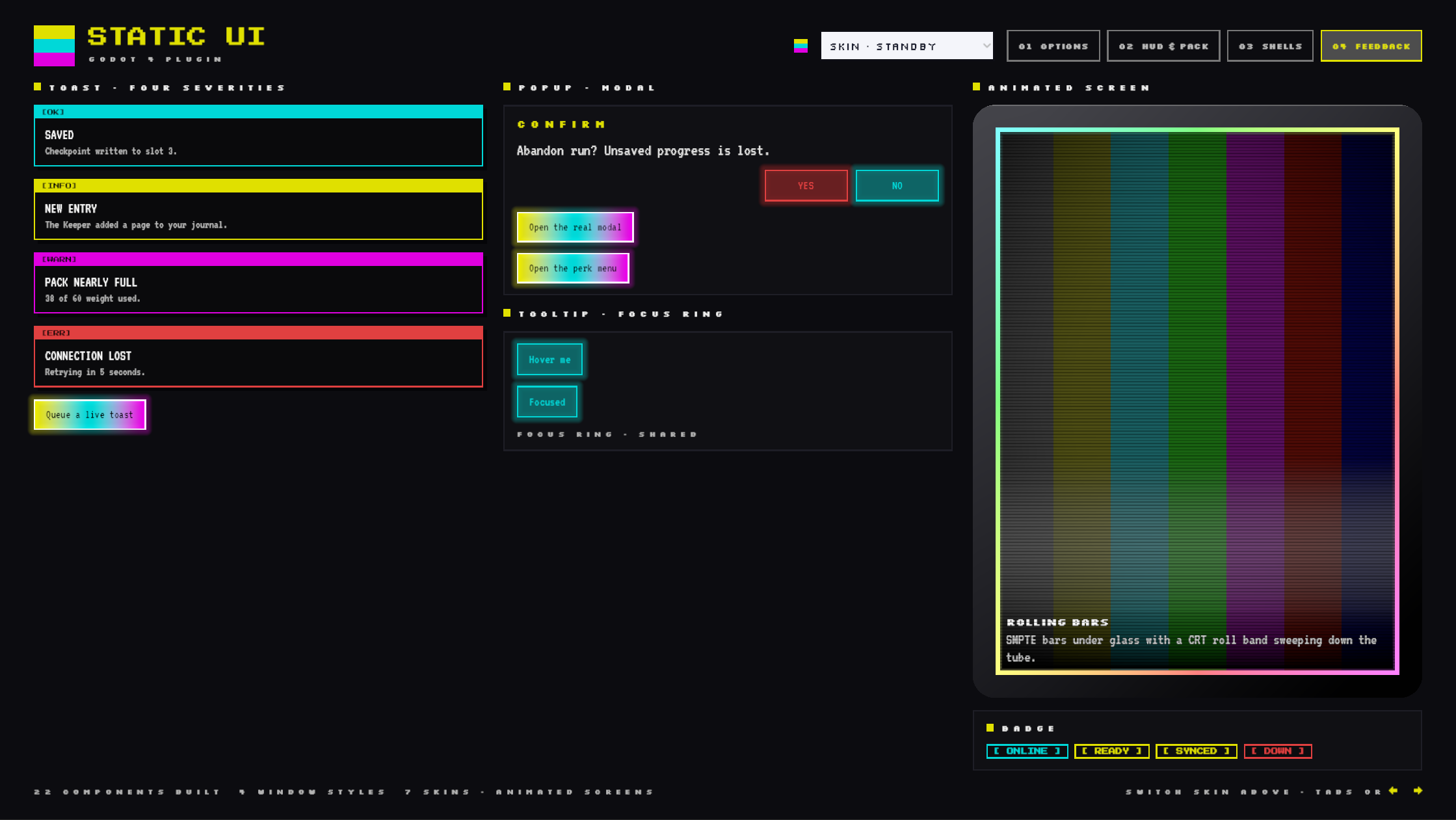
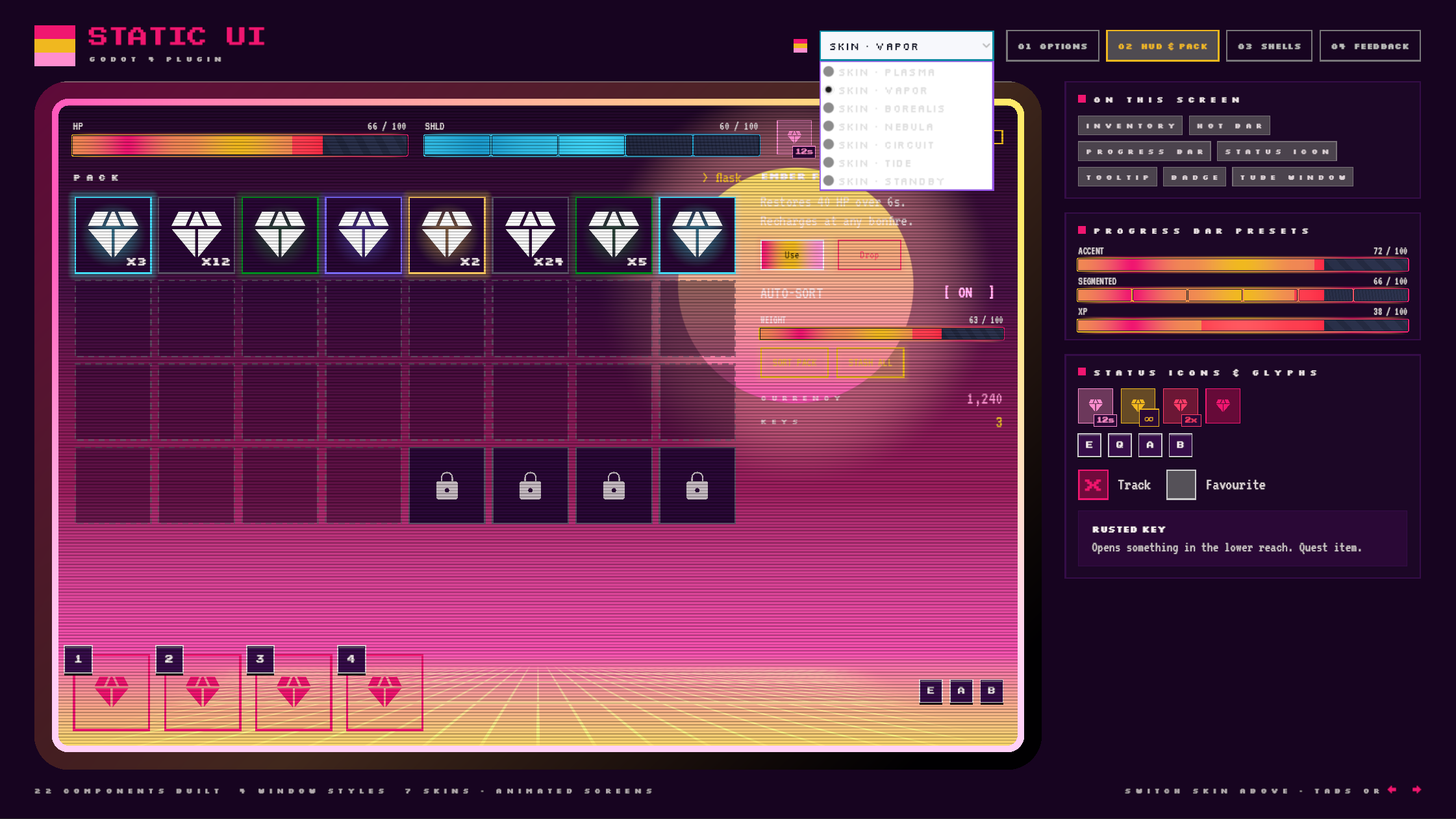
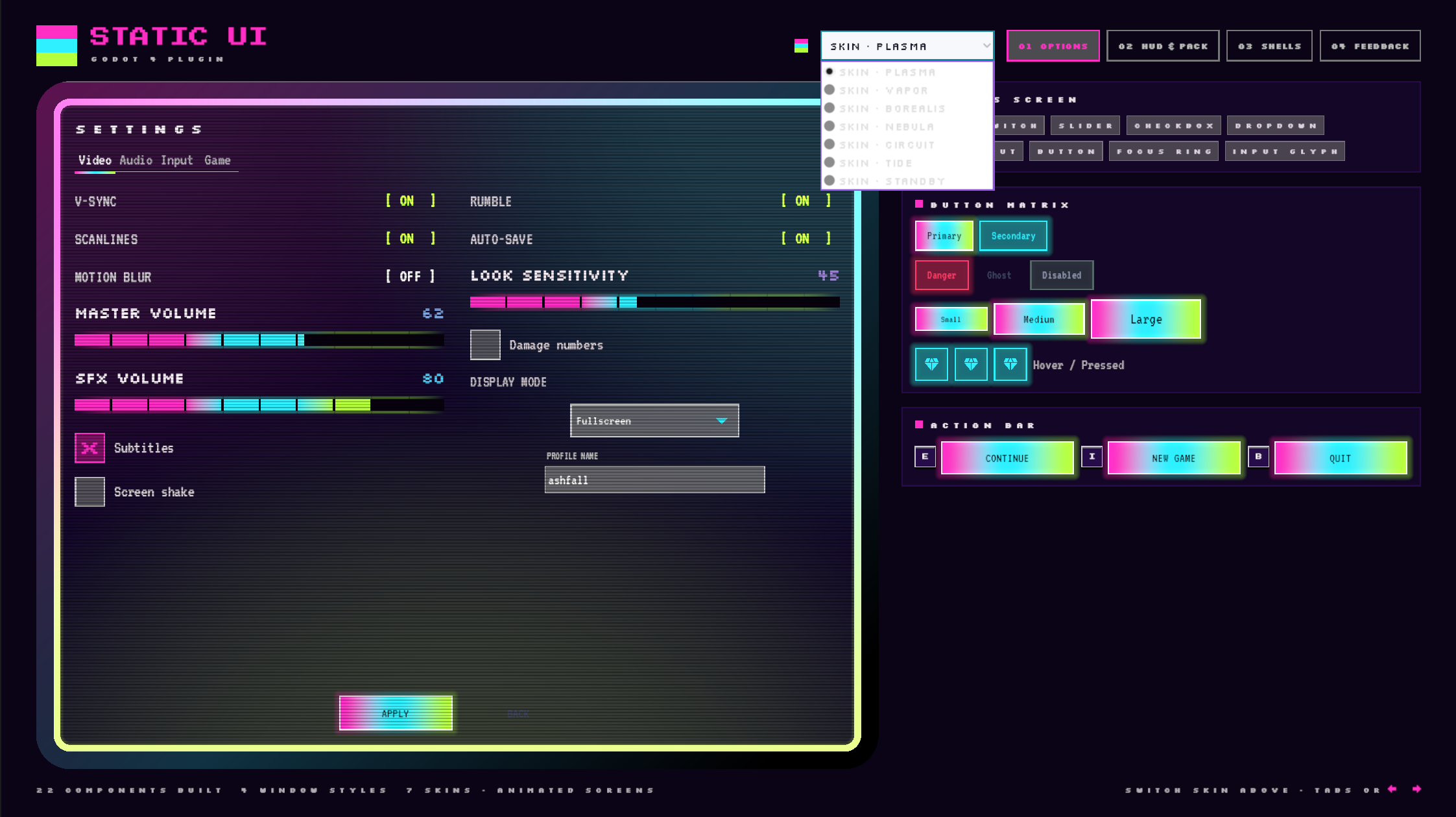
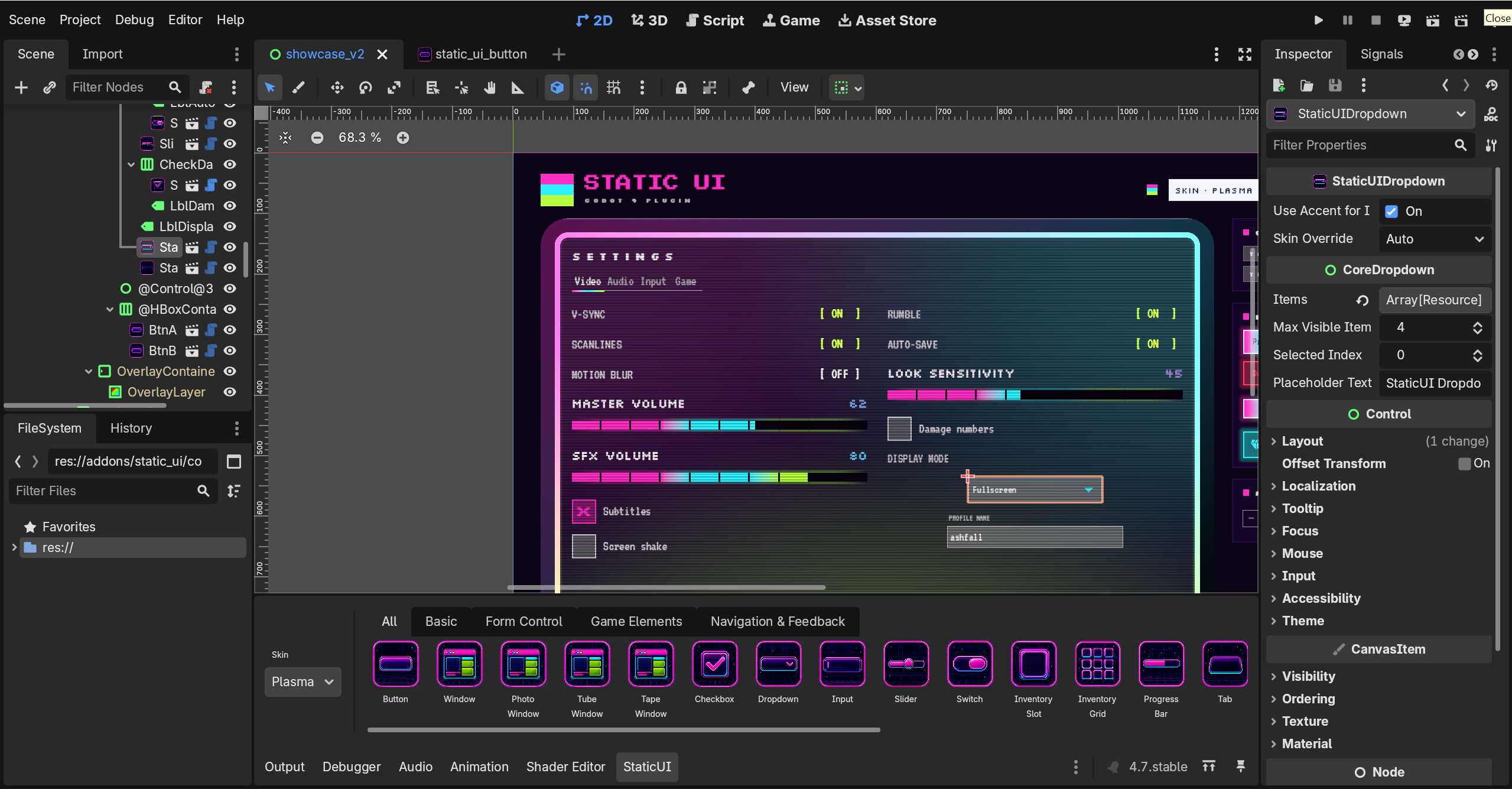
That includes animated buttons, dropdowns with custom menus, tabbed panels, tooltips, sliders, switches, checkboxes, text inputs, resource and progress bars, inventory components, hot bars, status icons, toasts, popups, action bars, and four shader-drawn window shells.
Each one wraps native Godot controls, so you still get the behavior you'd expect: signals, focus, keyboard navigation, and accessibility support.
Just add the StaticUI components you want from the Create Node dialog or bottom Static UI Panel, and build your interface from there.
Style it your way
🎨 Seven complete skins. plasma, vapor, borealis, nebula, circuit, tide, and standby each have their own colors and animated screen shader.
Swap the entire kit with one line:
StaticUI.set_skin(&"borealis")
The selected skin is remembered between launches.
🌈 One-click accent recolor. Want to keep a skin but change the accent color?
StaticUI.set_accent(color)
That updates shaders, borders, and glows across the kit, including in the editor.
🎚️ Per-instance skin overrides. Pin individual components to a different skin using skin_override without changing the rest of the interface.
This is supported across buttons, switches, dropdowns, windows, tab bars, progress bars, inventory slots, tooltips, toasts, focus rings, and more.
🎮 Controller-aware out of the box. Input glyphs automatically show the key or gamepad button currently bound to an action and update when the player switches input devices.
Keyboard and controller focus is also shown with a shared glowing focus ring.
🖱️ Inspector-first customization. Components expose clean @export properties, so most setup and styling can be handled directly in the Inspector.
What's included
- Buttons — the shader-animated
StaticUIButton, plus primary, secondary, danger, ghost, and icon Theme variations for native buttons. - Form controls — checkbox, animated dropdown, titled text input with error states, gradient-fill slider, and segmented switch/toggle.
- Navigation & feedback — tab bars with auto-paired content panels, tooltips, queued toast notifications, modal popups,
await-able confirmation dialogs, badges, and an action bar. - Game elements — animated resource/progress bars and a full inventory slot + grid + data-resource system with rarity styling, cooldowns, and locking.
- HUD & status — hot bars with slots and status icons with cooldown sweeps.
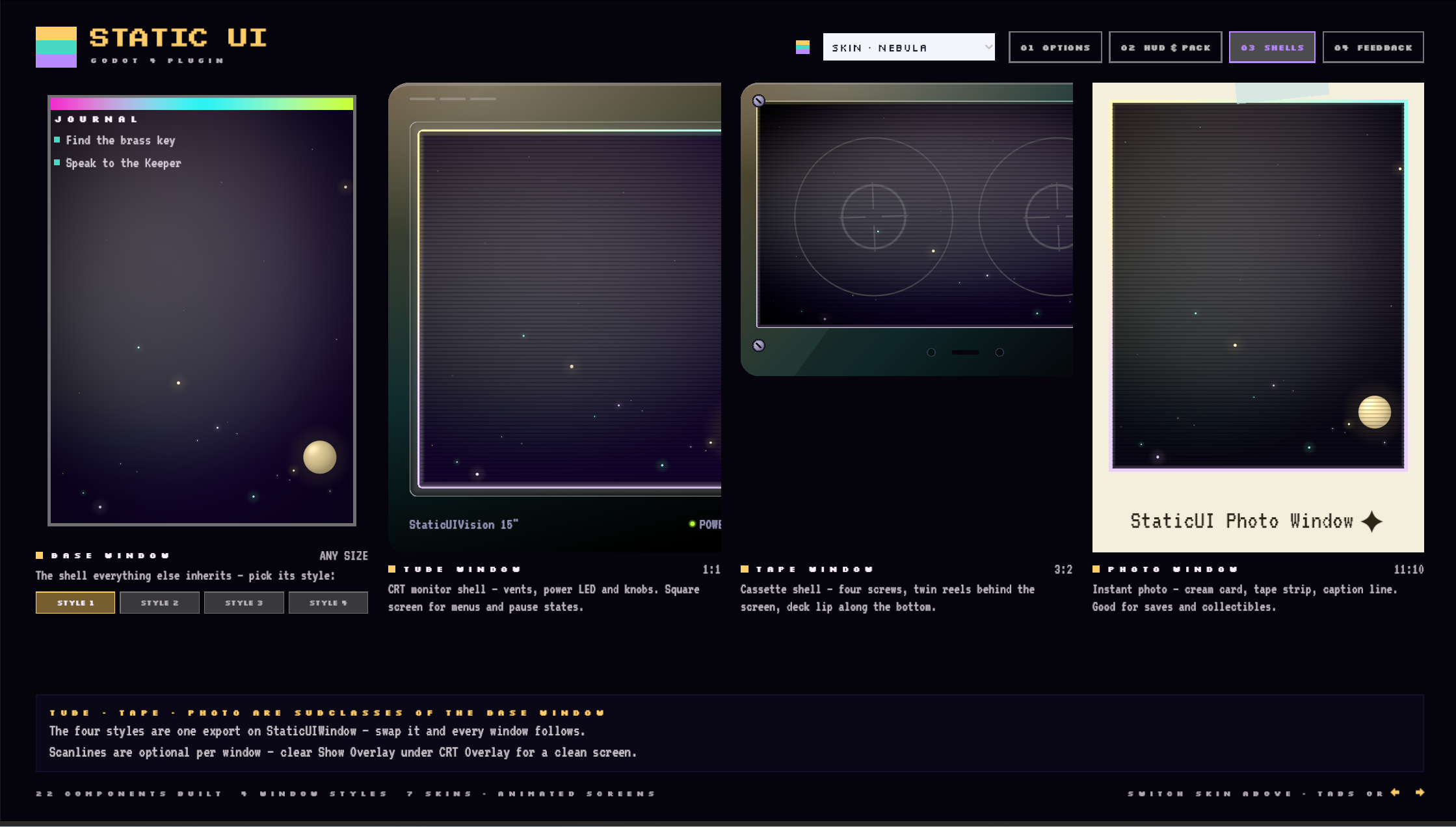
- Windows — four shader-drawn frame styles: Standard, Tube, Tape, and Photo. Their interiors use the active skin's animated backdrop.
Using StaticUI in an existing project
StaticUI works best when its components are used as the building blocks of your interface.
If you already have a Godot UI, you can still adopt StaticUI gradually. Replace individual controls or entire sections with StaticUI equivalents as needed instead of rebuilding everything at once.
The included .theme can also apply some StaticUI styling to supported native controls.
However, applying the theme by itself will not reproduce the full appearance shown in the screenshots and demos. Animated backdrops, custom shaders, specialized layouts, window effects, and component-specific styling belong to the StaticUI nodes themselves.
Actively developed and growing
StaticUI is an actively expanding library.
More components are planned, including dialogue boxes, menus, loaders, screen transitions, and other game-ready widgets, all built around the same skin-aware system.
Purchase once and future updates are included.
Under the hood
- Shader-driven — global accent uniforms make recoloring the kit a single operation.
- Renderer support — runs on Forward+ and Mobile, with graceful degradation on Compatibility.
- Accessibility-aware — reduced-motion and motion-speed settings scale interface animation without affecting gameplay timers or reading time.
- Fonts included — Silkscreen, Silkscreen Bold, VT323, and Press Start 2P, all under the SIL OFL and imported with pixel-crisp settings.
- Clean conventions — snake_case files and
StaticUI*namespacing help avoid collisions with your project.
Get started in minutes
- Unzip
addonsinto the base of your project, or place bothstatic_uiandui_coreinside your existingaddonsdirectory. - Enable the StaticUI plugin.
- Close and reopen your Godot project.
- Optionally apply the included StaticUI theme to your root
Controlto style supported native controls. - Add StaticUI components from the Create Node dialog or bottom Static UI Panel and use them to build or replace parts of your interface.
The base theme provides shared styling. The StaticUI components provide the full visual treatment, animations, shaders, and component-specific behavior.
Support
Questions or issues? ui-support@egodeath-llc.com
Feature requests & suggestions? ui-feedback@egodeath-llc.com
Purchase
In order to download this Godot plugin you must purchase it at or above the minimum price of $15 USD. You will get access to the following files:
Development log
- StaticUI 1.0.0 — Seven CRTs in a Trench Coat35 days ago
Leave a comment
Log in with itch.io to leave a comment.